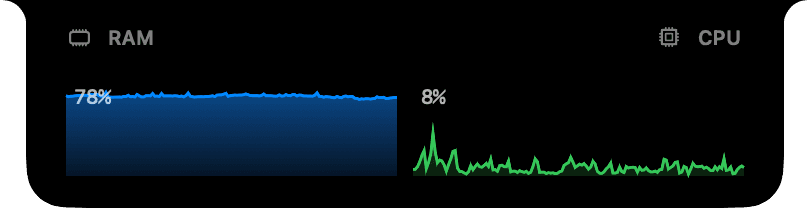
Live system peeks
Real-time CPU and RAM graphs hug the notch so you always see what your Mac is doing — no menu bar squinting, no extra window.
- Live CPU usage graph
- Live RAM usage graph
- Battery percentage and charging state
 Dynano
Dynano is a free macOS menu bar app that transforms the notch into a live hub for system stats, media, calendar, Claude usage and animated desk pets.
Dynano sits at your notch as a small pill. Hover it to expand into full pages of system, productivity and developer plugins. Pick the peeks that matter, rearrange the pages, and let Dynano surface the right info at the right time.
Real-time CPU and RAM graphs hug the notch so you always see what your Mac is doing — no menu bar squinting, no extra window.
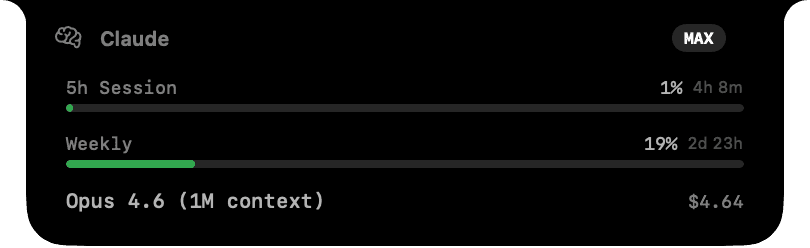
Track your Claude sessions without leaving your editor. Dynano reads your local usage file and surfaces session %, weekly quota and current model spend.

Pixel-art companions live in the notch. They idle, walk, run and react — a tiny bit of joy on every screen.
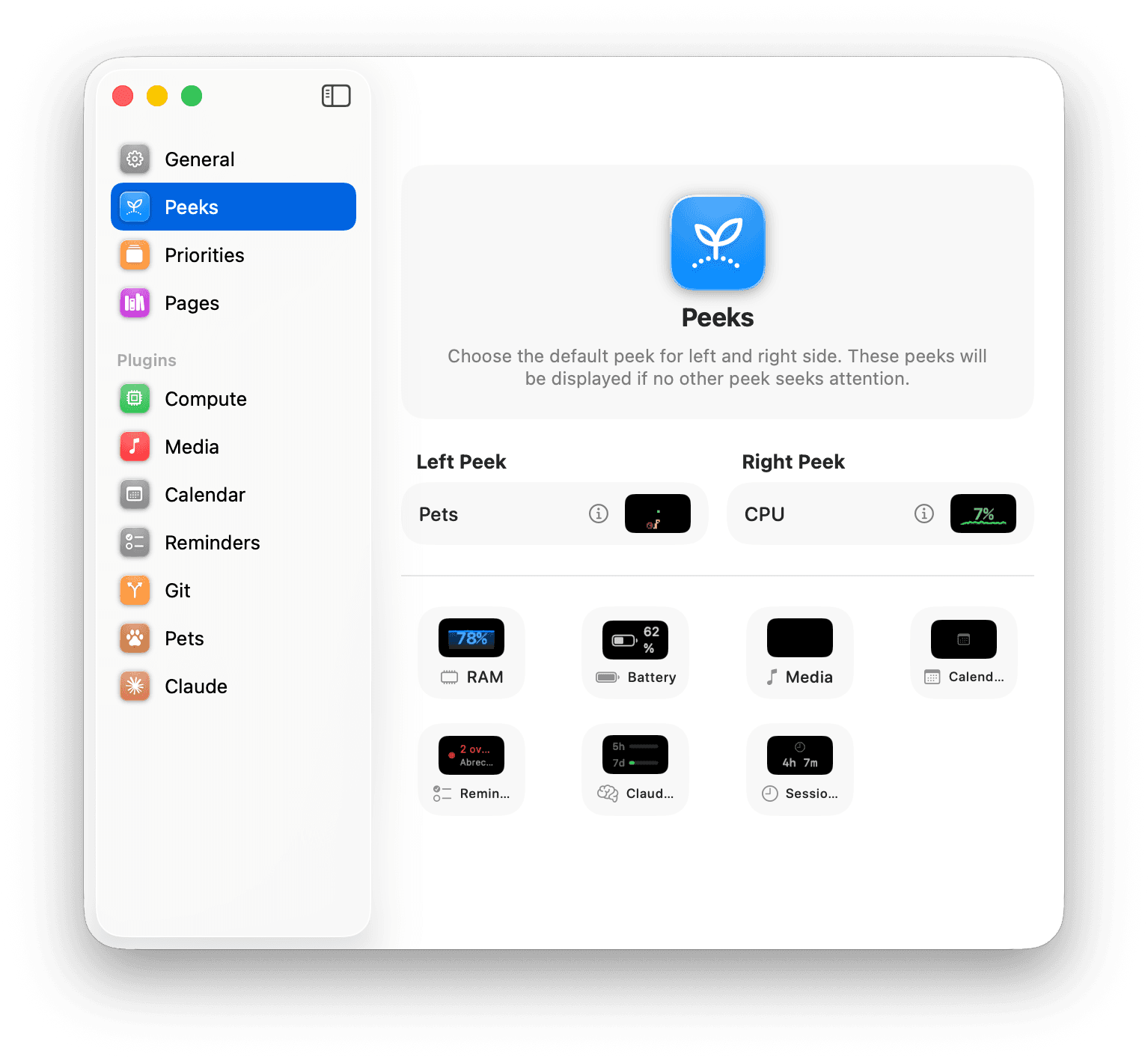
Choose the default left and right peek. Pick from RAM, CPU, Battery, Media, Calendar, Reminders, Claude usage, Sessions and more.
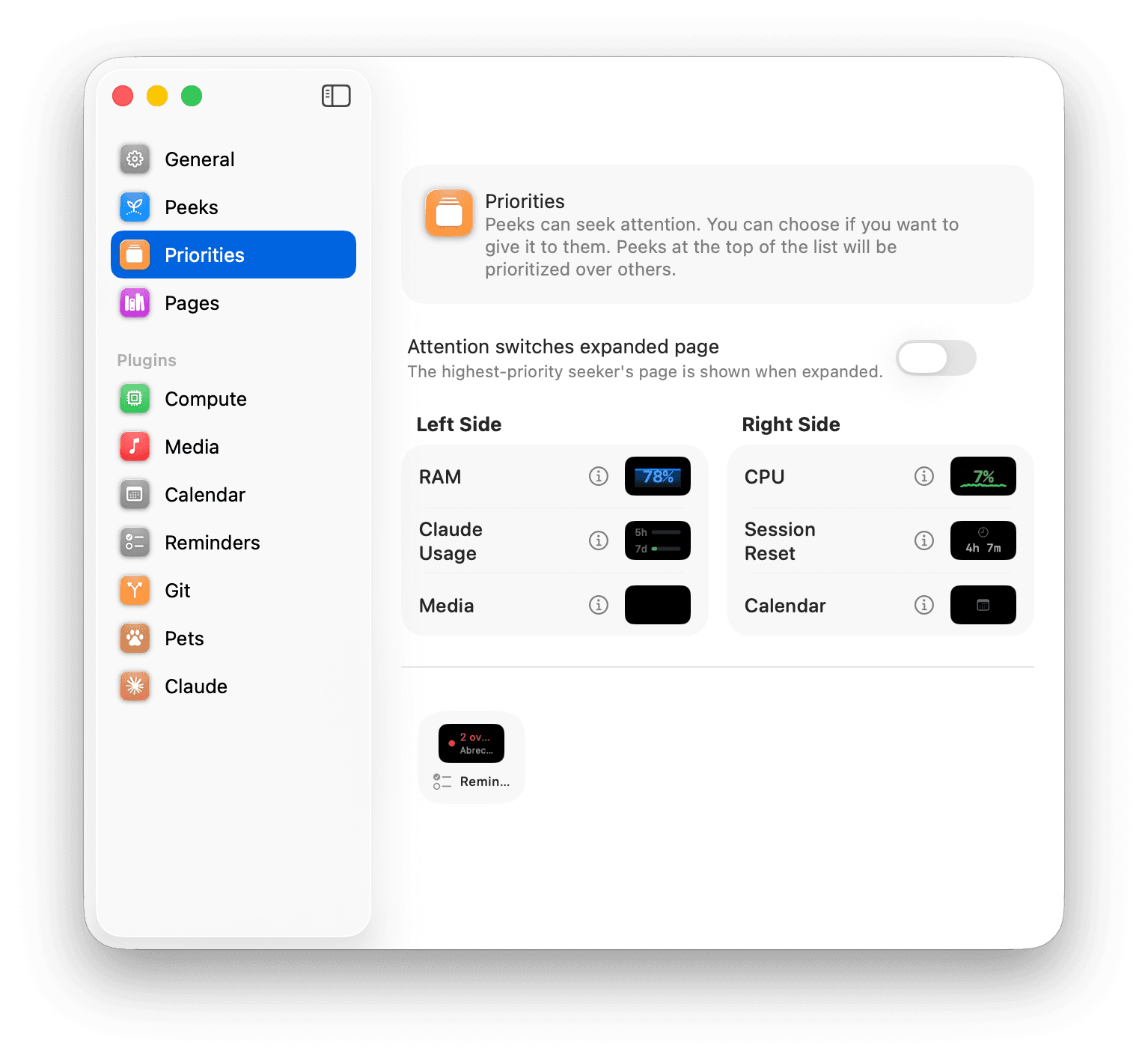
Peeks can request your attention when something changes. Dynano promotes them to the front and can switch the expanded page automatically so the right info is always one glance away.
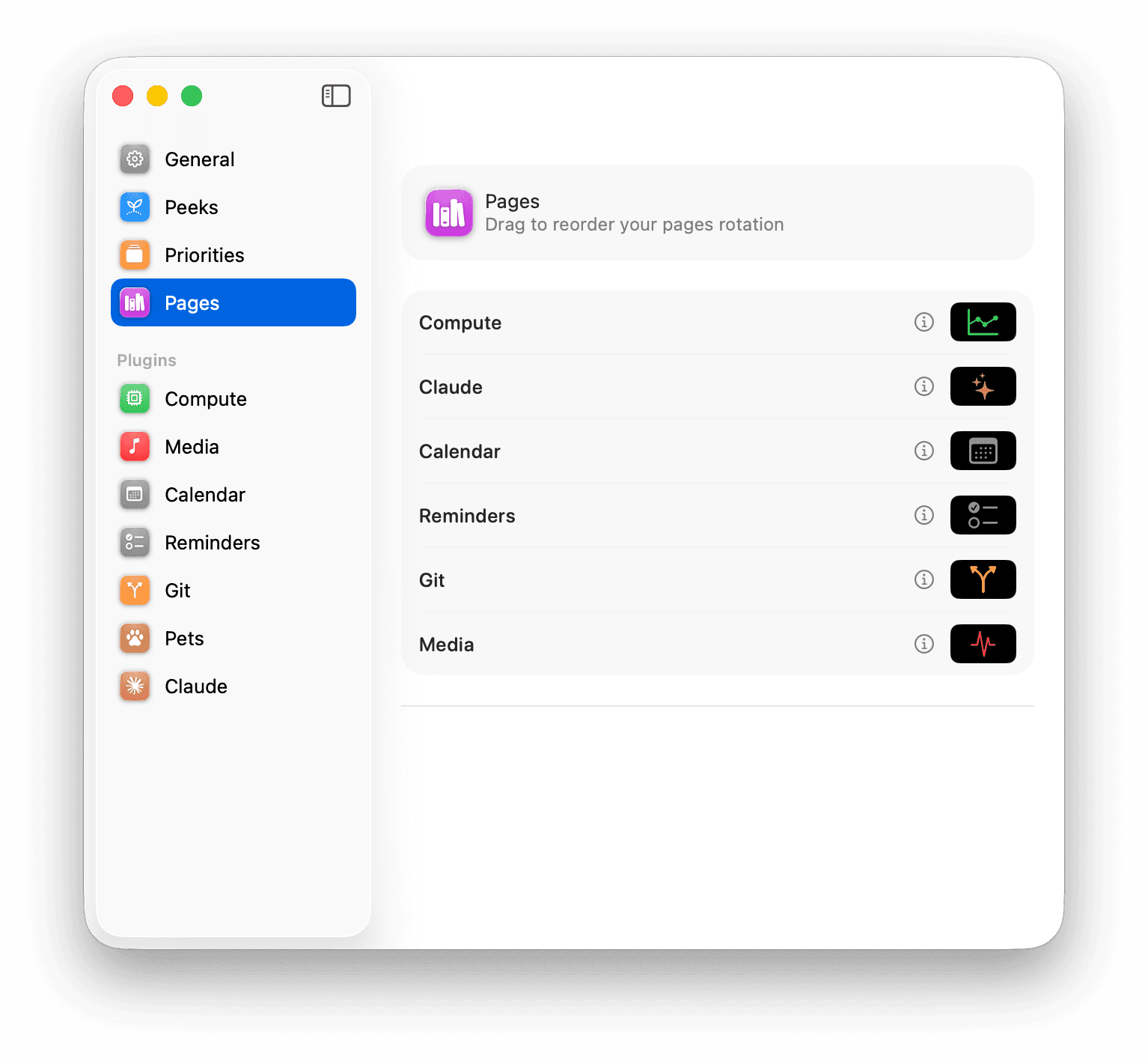
Hover the notch and Dynano expands into full pages: Compute, Claude, Calendar, Reminders, Git and Media. Reorder them with drag and drop and scroll-cycle between them.
Pure Swift, Apple frameworks only. No Electron, no web view, no battery drain.
No SPM, no CocoaPods, no telemetry. The whole app is system frameworks plus a tiny plugin registry.
Runs as LSUIElement — no dock icon, no Cmd-Tab clutter. Quit it from its own menu.
Yes. Dynano is free to download. The DMG is signed with an Apple Developer ID and notarized by Apple.
Dynano targets macOS 26.2 and later and runs natively on both Apple Silicon and Intel Macs.
Yes. On Macs without a notch, Dynano renders as a floating pill near the top of the screen and behaves the same way.
No. All system metrics, Claude usage stats, calendar events and reminders are read locally and never leave your Mac.
Those permissions are only used to render today's events and overdue reminders inside the corresponding peeks and pages. Permissions are optional — peeks you don't enable never request access.
Quit the app from its menu, then drag Dynano from /Applications to the Trash. Settings are stored in your user defaults and can be removed with `defaults delete com.matthiasschedel.Dynano`.
Free, signed, notarized. Less than 10 MB. Try it for an hour and you won't go back.
Dynano is free. If it sticks around in your menu bar, consider tipping the dev.